AI Product
Designing Explainable AI: A PM's Guide to Transparency
As an AI Product Manager, I've learned that explainable AI, or XAI, isn't just a technical buzzword; it's a fundamental requirement for building trustworthy, effective, and compliant AI products. Designing explainable AI features means making the 'why' behind an AI's decision or prediction clear and comprehensible to its users, whether they are end-consumers, domain experts, or regulators. For PMs, this translates directly into higher user adoption, reduced operational risk, and stronger market differentiation. It is about understanding who needs to know what, and when, to make an informed decision or take action.
My experience across streaming, fintech, and healthcare has consistently shown that users are more likely to engage with and trust a system they understand, especially when that system impacts their finances, health, or personal recommendations. Ignoring explainability can lead to significant user friction, regulatory challenges, and a product that ultimately fails to deliver on its promise. This guide will walk you through actionable strategies to embed transparency into your AI products from the ground up.
Why Does Explainable AI Matter for Product Managers?
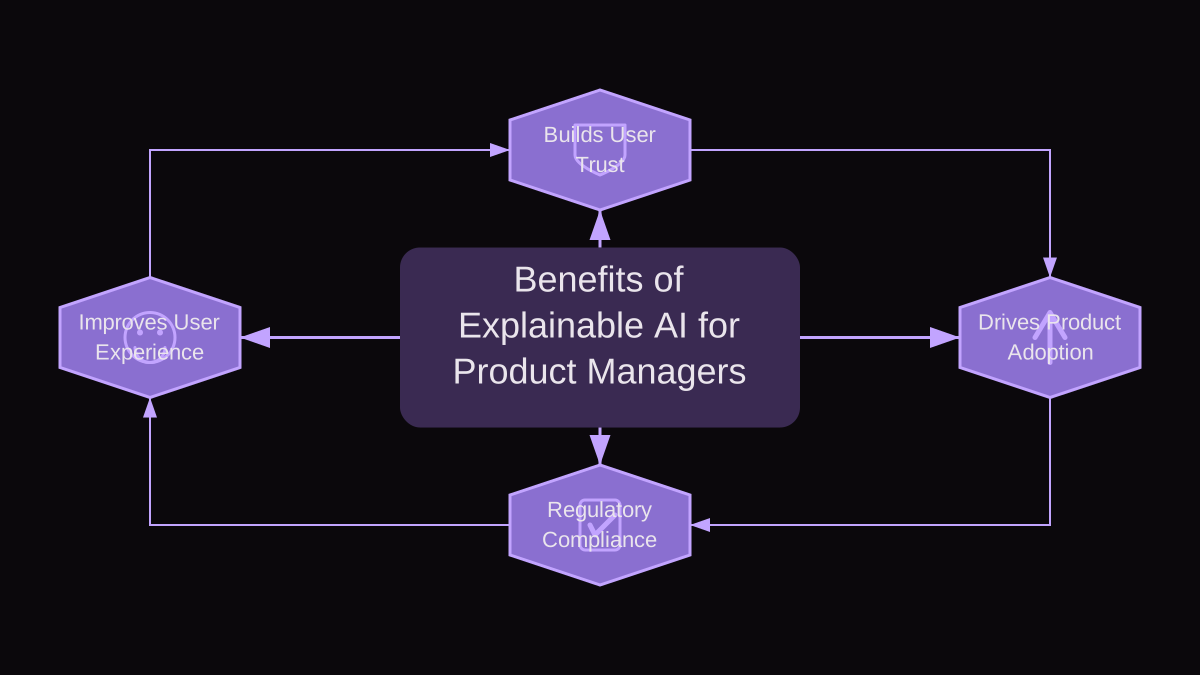
From a product perspective, explainable AI isn't an optional add-on; it's a core differentiator and a risk mitigator. Here's why every AI PM needs to prioritize it:
- Building and Maintaining User Trust: Users are inherently skeptical of black boxes. When an AI can explain its reasoning, even at a high level, it demystifies the technology and builds confidence. In critical domains like healthcare diagnostics or loan applications, trust is paramount. A user who understands why a particular medical recommendation was made, or why their loan was denied, is far more likely to accept the outcome and continue using the service.
- Driving Product Adoption and Engagement: An AI feature with clear explanations is easier for users to understand, internalize, and ultimately integrate into their workflow or daily life. When users can debug or course-correct based on an explanation, they feel more in control and are more likely to become repeat users. Think about a fraud detection system that flags a transaction; a clear explanation for the flag helps the user resolve it quickly, rather than abandoning the transaction in frustration.
- Ensuring Regulatory Compliance and Ethical AI: With regulations like the EU AI Act, GDPR, and industry-specific mandates in healthcare (e.g., HIPAA) or finance, explainability is often a legal requirement. PMs must ensure their products can generate audit trails and explanations for decisions, especially those impacting fundamental rights or significant life events. Beyond compliance, XAI is crucial for identifying and mitigating algorithmic bias, allowing PMs to build more fair and equitable products.
- Improving Debugging, Iteration, and Model Performance: Explainability isn't just for end-users. It's an invaluable tool for your data science and engineering teams. When a model behaves unexpectedly, an explanation can pinpoint which features or data points drove the aberrant behavior, significantly speeding up debugging, model retraining, and performance improvements. This reduces the cost and time associated with maintaining and evolving AI systems.
- Enhancing User Experience and Workflow Integration: Explanations, when designed well, are an integral part of the user experience. They can guide users, provide context, and even educate them. Imagine a personalized learning platform; explaining why certain content was recommended can help a student understand their learning gaps and progress more effectively. Without explanations, AI can feel like a guessing game, leading to frustration and poor adoption.
The Clarity-Utility Matrix: When and How Much to Explain?
One of the biggest challenges in XAI is deciding how much explanation is enough, and what kind. Too much information leads to cognitive overload; too little leaves users in the dark. To navigate this, I use a framework I call the Clarity-Utility Matrix. It helps PMs assess the required level and type of explainability for any given AI feature by considering five key criteria:
- 1. User Impact and Risk: How significant are the consequences of the AI's decision for the user? High-stakes decisions (e.g., medical diagnosis, loan approval, legal recommendations) demand high explainability. Low-stakes decisions (e.g., content recommendations, spell-check suggestions) can tolerate less.
- 2. Model Complexity: Is the underlying AI model a relatively simple, interpretable one (like a linear regression) or a complex 'black box' (like a deep neural network)? More complex models typically require more effort to generate meaningful external explanations.
- 3. Regulatory and Ethical Requirements: Are there specific industry regulations (e.g., finance, healthcare) or internal ethical guidelines that mandate a certain level of transparency or an audit trail for AI decisions? This is often a non-negotiable factor.
- 4. Target User Persona and Technical Sophistication: Who is the primary user of this explanation? A data scientist might want feature importance weights and partial dependence plots, while an executive might need a high-level summary of key drivers, and a general consumer needs simple, actionable reasons.
- 5. Cost of Explainability (Development and UX): Generating explanations isn't free. It requires engineering effort, additional compute, and careful UX design. How much resource are you willing to allocate? The cost should align with the benefits derived from the other criteria.
To use the Clarity-Utility Matrix, evaluate your AI feature against each criterion, assigning a subjective high, medium, or low score. Features with high scores across several criteria (especially User Impact, Regulatory, and Model Complexity) will require the most robust and carefully designed explanations. Features with low scores can opt for simpler, more subtle forms of transparency, or even none at all if the impact is negligible and the model's performance is highly robust.
How to Design Explainable AI Features: A Step-by-Step Example
Let's walk through a concrete scenario: designing an explainable feature for a fintech application that uses AI to adjust a user's credit limit annually. This is a high-impact scenario, as it directly affects a user's financial capabilities.
Scenario: Your AI model has decided to reduce a user's credit limit. The user receives a notification and needs to understand why.
- Step 1: Identify the Core Decision and User Need. The core decision is the credit limit reduction. The user's need is to understand 'Why me?' and 'What can I do about it?' They don't need to understand the neural network architecture; they need actionable insight into their financial behavior.
- Step 2: Apply the Clarity-Utility Matrix. User Impact is high (financial health). Model Complexity is likely medium-high (predictive model). Regulatory requirements are high (fair lending practices, transparency). Target User is a general consumer. Cost of Explainability is justified due to high impact and regulatory needs. Conclusion: High explainability is required, focusing on actionable, user-centric reasons.
- Step 3: Select Appropriate Explainability Methods. For this type of decision, local explainability methods are best. We need to explain this specific decision for this specific user. Techniques like SHAP (SHapley Additive exPlanations) or LIME (Local Interpretable Model-agnostic Explanations) can identify the most influential features contributing to the reduction. For a consumer, we'd translate these technical outputs into understandable language. We might also consider counterfactual explanations – 'If you had done X, your limit would not have been reduced.'
- Step 4: Design the User Experience for the Explanation. This is where the PM's UX sensibility is critical. Don't just dump raw data. Present information clearly and concisely. For our credit limit reduction example, the explanation could be presented as:
- a. A primary reason: 'Your credit limit was reduced due to a significant increase in your credit utilization over the past six months.'
- b. Supporting factors: 'Specifically, your average credit card balance increased by 30%, and you opened two new credit accounts.'
- c. Actionable advice: 'To potentially increase your limit in the future, consider reducing your outstanding balances and maintaining a longer credit history with existing accounts.'
- d. Provide a clear path for appeal or further inquiry: 'If you believe this decision is incorrect, please contact our support team or review your credit report for discrepancies.'
- The explanation should be accessible directly from the notification or the relevant section within the app, perhaps behind a 'Why was my limit changed?' link.
- Step 5: Iterate and Test. Develop prototypes and conduct user research. Do users understand the explanation? Is it actionable? Does it build trust or cause more confusion? A/B test different explanation formats. For example, testing whether a bulleted list of factors is more effective than a paragraph, or if including a hypothetical 'what-if' scenario is helpful.
Common Mistakes in Designing Explainable AI and How to Avoid Them
Even with the best intentions, it's easy to stumble when implementing XAI. Here are some common pitfalls I've observed and how to steer clear of them:
- Mistake 1: Over-explaining Everything. Failure Mode: Information overload, cognitive burden, and a diluted message. Users get lost in technical details they don't care about or understand. How to Detect/Avoid: Apply the Clarity-Utility Matrix. Not every decision needs deep technical explanation. Focus on 'need-to-know' information that is actionable and relevant to the user's context. Prioritize clarity and conciseness over exhaustive detail. If an explanation requires a user to be a data scientist, it's likely over-explained for a general audience.
- Mistake 2: Explaining the Model, Not the Decision. Failure Mode: Providing technical jargon about algorithms instead of clear reasons for a specific outcome. Users don't care about the Gini impurity coefficient; they care about why their application was rejected. How to Detect/Avoid: Always frame explanations from the user's perspective: 'Why was THIS outcome generated for ME?' Use analogies and simple language. Focus on the inputs that influenced the output, not the internal mechanics of the model itself. User testing will quickly reveal if your explanations are too technical or abstract.
- Mistake 3: Treating XAI as an Afterthought. Failure Mode: Explanations are bolted on, inconsistent, poorly integrated into the UI, or difficult to generate. This leads to a fragmented user experience and high technical debt. How to Detect/Avoid: Integrate XAI requirements into your product discovery, design, and development cycles from day one. Make it a core feature, not an add-on. Include XAI in your user stories, design sprints, and technical architecture discussions. Early consideration allows for better model selection (e.g., choosing a slightly less performant but more interpretable model if explainability is critical) and a more seamless user experience.
- Mistake 4: Generating Inaccurate or Misleading Explanations. Failure Mode: Erodes trust, potential legal repercussions, and reinforces bias. An explanation that contradicts the actual model behavior or provides partial truths is worse than no explanation. How to Detect/Avoid: Rigorously test and validate your explanation generation methods. Work closely with data scientists to ensure the explanations accurately reflect the model's decision-making process. Implement robust monitoring to detect concept drift in explanations. Always consider adding clear disclaimers about the nature of the explanation (e.g., 'These are the top factors identified by our AI').
- Mistake 5: Neglecting User Research for Explanations. Failure Mode: Explanations are not helpful, not understood, or even confusing, leading to poor adoption and user frustration. You assume you know what users want to know. How to Detect/Avoid: Treat XAI UX like any other product feature. Conduct user interviews, surveys, and usability testing specifically on your explanations. Ask users: 'Do you understand why this decision was made?', 'Is this explanation helpful?', 'What more would you like to know?' A/B test different explanation formats and levels of detail to find what resonates best with your target audience.
Key Takeaways
- Explainable AI is a strategic imperative for PMs, driving trust, adoption, and compliance, not just a technical nice-to-have.
- Use the Clarity-Utility Matrix to systematically determine the appropriate level and type of explainability for each AI feature based on user impact, model complexity, regulations, user persona, and cost.
- Design XAI features with a user-centric approach, focusing on actionable insights and clear communication, not just technical model outputs.
- Integrate explainability from the earliest stages of product development to avoid common pitfalls like over-explaining, neglecting user needs, or generating misleading information.
- Continuously test and iterate on your explanations with real users to ensure they are understood, helpful, and build confidence in your AI product.